
Google quietly rolled out a new feature inside Google Ads called Custom Views.
At first glance, it looks like a small dashboard customization update.
Most people will probably skip it.
But honestly?
This is one of those features that becomes powerful when you manage:
- multiple clients
- large ad accounts
- multiple campaign types
- reporting workflows
- different KPIs across teams
And it also shows something bigger:
Google Ads is slowly moving toward a more personalized, workflow-driven interface.
Not just campaign management.
But workspace management.
What Are Custom Views in Google Ads?
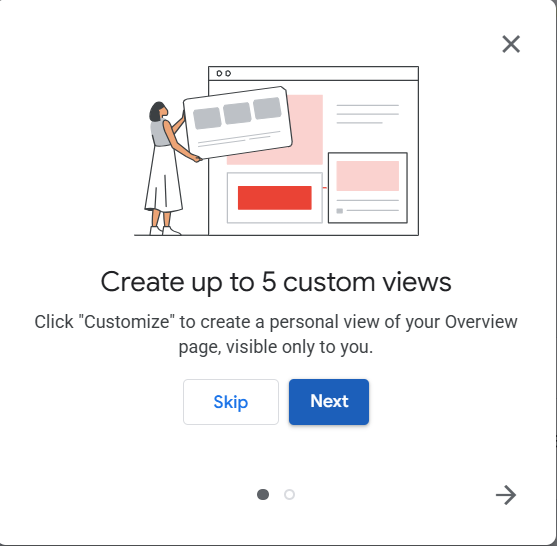
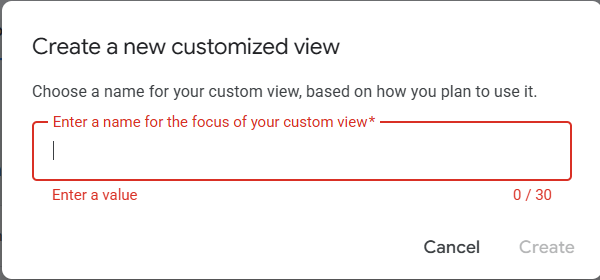
Google Ads now allows users to create up to 5 custom views inside the Overview page.
You can:
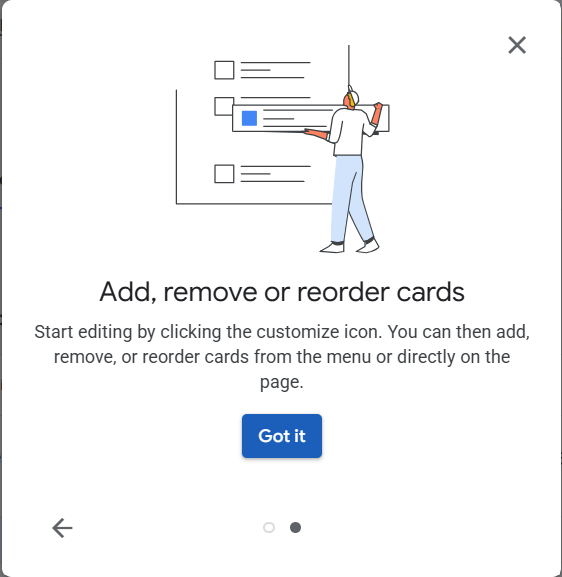
- add cards
- remove cards
- reorder widgets
- personalize dashboards
- create different reporting layouts
And these views are visible only to you.
Meaning:
your clients won’t see them.
Other account users won’t see them.
This is your personal workspace.
Why This Actually Matters?
Most advertisers open Google Ads and instantly get overwhelmed.
Too much data.
Too many metrics.
Too many cards.
Too much noise.
Especially when managing:
- Search campaigns
- Performance Max
- YouTube
- Shopping
- Demand Gen
- lead generation accounts
- eCommerce accounts
Different businesses care about different things.
A local lead generation campaign cares about:
- CPL
- calls
- lead quality
- impression share
An eCommerce brand cares about:
- ROAS
- AOV
- product performance
- conversion value
A YouTube campaign cares about:
- engagement
- view rate
- assisted conversions
One dashboard can’t serve every workflow properly.
That’s where Custom Views become useful.
Google Is Quietly Building Role-Based Advertising Workspaces?
This update feels small.
But strategically?
It’s important.
Because Google is slowly shifting from:
“one interface for everyone”
to:
“personalized interfaces based on goals.”
This matters because modern advertising has become too complex for generic dashboards.
A media buyer thinks differently from:
- a business owner
- a creative strategist
- a data analyst
- a sales manager
- a CRO specialist
And now Google is starting to acknowledge that reality.
How I’d Personally Use Custom Views?
If you run an agency or manage multiple accounts, this feature can genuinely improve workflow speed.
Here are a few practical examples.
1. Lead Generation View
A dashboard focused only on:
- cost per lead
- qualified leads
- conversion rate
- search terms
- call insights
- offline conversions
Perfect for contractors, law firms, HVAC, roofing, clinics, etc.
2. Scaling View
Built for budget expansion decisions:
- impression share
- lost IS (budget)
- top-performing campaigns
- demand trends
- search volume movement
- conversion lag
Useful when scaling aggressively.
3. Creative Performance View
Focused on:
- asset performance
- video engagement
- CTR differences
- creative fatigue
- top-performing headlines
- audience engagement
Especially useful for Demand Gen, YouTube, and PMax.
4. Client Reporting View
A cleaner version for quick reporting calls:
- conversions
- ROAS
- spend
- revenue
- trends
- top campaigns
Simple.
Minimal.
Easy to explain.
This Also Connects to Google’s Bigger AI Direction?
This update isn’t happening randomly.
Google is clearly rebuilding the advertising experience around:
- personalization
- AI assistance
- workflow simplification
- intent-driven management
The old Google Ads experience was:
- heavy manual setup
- complicated navigation
- technical optimization
The new direction is:
- guided workflows
- AI recommendations
- simplified reporting
- role-based experiences
- automation layers
Custom Views fit directly into that shift.
Most Advertisers Will Underestimate This Feature?
That’s normal.
Small UX changes often look unimportant at first.
But in large accounts, workflow efficiency matters a lot.
Saving:
- 10 minutes daily
- reducing dashboard clutter
- improving focus
- organizing KPIs better
…adds up massively over time.
Especially for agencies managing:
- multiple industries
- multiple campaign types
- multiple reporting systems
My Take on Google Ads Custom Views?
This is not some revolutionary Google Ads update.
But it’s a smart one.
And honestly?
Google Ads desperately needed better workspace personalization.
Modern advertising is already overloaded with:
- metrics
- automation
- recommendations
- campaign types
- AI tools
- reporting layers
Anything that reduces friction is valuable.
The advertisers who build cleaner systems and workflows will move faster than those drowning in dashboard chaos.
And I think this is just the beginning.
Google Ads is slowly becoming:
not just an ad platform…
…but a personalized operating system for marketers.
FAQs:
What are Custom Views in Google Ads?
Custom Views are personalized Overview dashboards inside Google Ads that allow users to add, remove, and reorder reporting cards based on their workflow and goals.
How many Custom Views can you create in Google Ads?
Google currently allows users to create up to 5 custom views inside the Google Ads Overview page.
Are Custom Views visible to other users in the account?
No. Custom Views are private and only visible to the user who created them.
Why did Google introduce Custom Views?
Google appears to be moving toward more personalized and workflow-based advertising experiences where advertisers can organize dashboards based on campaign goals, reporting needs, and account management styles.
Can agencies benefit from Google Ads Custom Views?
Yes. Agencies managing multiple clients or campaign types can create dedicated dashboards for:
- lead generation
- eCommerce
- reporting
- scaling
- creative analysis
- conversion tracking
This can improve workflow efficiency significantly.
What kind of metrics should I include in a Custom View?
That depends on your goals.
For lead generation:
- CPL
- conversion rate
- calls
- qualified leads
For eCommerce:
- ROAS
- revenue
- conversion value
- best-selling products
For scaling:
- impression share
- search demand
- lost IS
- budget pacing
Is this part of Google’s AI-first direction?
Indirectly, yes.
Google is slowly redesigning the platform around AI-assisted workflows, personalized reporting, automation, and simplified account management experiences.
Will Custom Views improve campaign performance?
Not directly.
But they can improve:
- focus
- reporting clarity
- workflow speed
- decision-making
- KPI tracking
Which can indirectly improve account performance over time.

